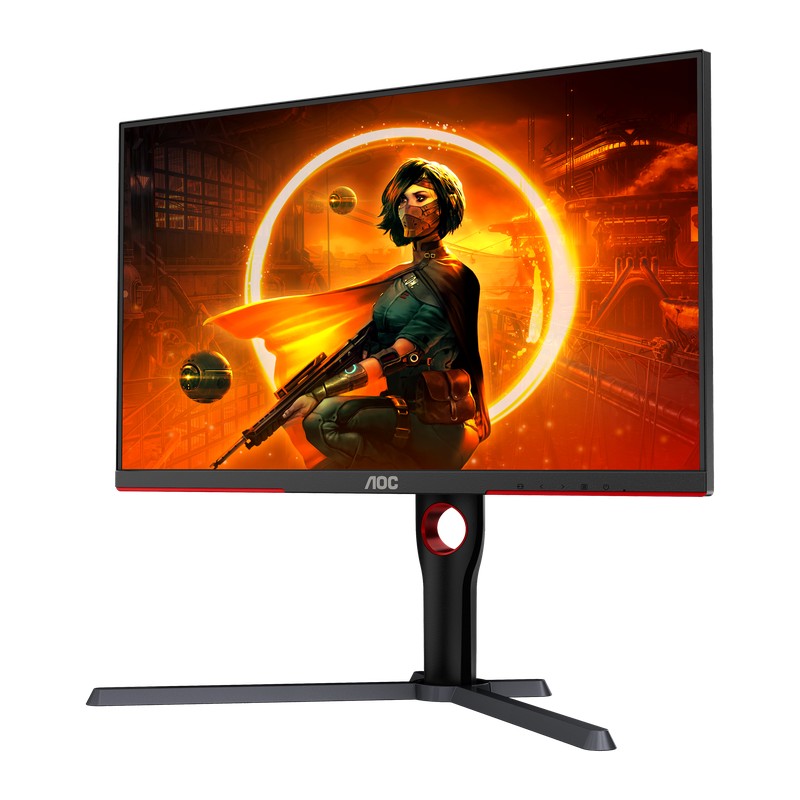
AOC Q27G3XMN review: budget money, flagship-grade HDR
A 336-zone Mini LED backlight behind a 27-inch QHD 180Hz VA panel — the rare cheap monitor that earned real VESA DisplayHDR 1000 certification instead of the HDR400 sticker the price bracket usually settles for.
- aoc q27g3xmn
- Samsung Odyssey G51F
- Acer Nitro KG271U
- KTC H27S5C
Updated 2026-08-07. Interest is relative search demand (0–100), not sales figures.
AOC Gaming Q27G3XMN 27" QHD Mini LED gaming monitor specs
| Resolution | QHD 2,560 x 1,440 (16:9) |
|---|---|
| Refresh rate | Max 180 Hz |
| Response time | 1 ms GtG |
| Panel | VA, flat |
| Local dimming | 336-zone Mini LED |
| HDR | VESA Certified DisplayHDR 1000 |
| Brightness | 700 cd/m² (typical) |
| Contrast | 4,000:1 static |
| Color gamut | DCI-P3 101.3%, sRGB 137.5% (CIE 1931) |
| Screen size | 27-inch (68.58 cm), 108.8 PPI |
| Ports | DisplayPort 1.4, HDMI 2.0, audio out |
| Stand | Height 130 mm, tilt -3.5° to 21.5°, swivel ±30°, pivot ±90° |
| VESA mount | 100 x 100 mm |
Manufacturer's published specifications.
More photos
Verdict: most monitors at this price wear an HDR badge that means nothing — a single edge-lit backlight and a certification tier written to be easy. The Q27G3XMN is the exception: 336 individually dimmable Mini LED zones sitting behind a high-contrast VA panel, certified at VESA DisplayHDR 1000. That one decision is the whole product, and it’s why reviewers keep filing this under “budget HDR done properly” rather than “budget HDR, technically”.
This is an editorial summary based on AOC’s official specs and published third-party reviews — not a personal hands-on test.
The specs that matter
Per AOC’s official spec sheet:
- 27-inch flat VA panel at 2,560 × 1,440 (QHD, 16:9) — 108.8 pixels per inch, the density that keeps 27 inches sharp without needing scaling.
- Max 180Hz refresh with a 1ms GtG response time and Adaptive Sync.
- 336-zone Mini LED local dimming, certified VESA DisplayHDR 1000.
- 4,000:1 static contrast and 700 cd/m² typical brightness — high even before the dimming zones do their work.
- DCI-P3 101.3% / sRGB 137.5% (CIE 1931) colour coverage, 1.07B colours (8-bit + FRC).
- DisplayPort 1.4, HDMI 2.0 and an audio output — video in, sound out, and nothing else.
- A genuinely adjustable stand: 130mm height, tilt −3.5° to 21.5°, ±30° swivel and ±90° pivot, on a 100 × 100mm VESA mount.
What reviewers love
- The HDR is real, and it over-delivers. Reviewers measuring peak brightness have recorded well past the 1,000-nit certification figure, and the full-array backlight pushes effective contrast in dark scenes far beyond what the 4,000:1 static number suggests. This is the part that normally costs several times as much.
- VA hides the blooming. Full-array dimming on an IPS panel tends to halo around bright objects; the VA panel’s native contrast keeps the surrounding pixels dark enough that reviewers describe the haloing here as mild.
- Colour accuracy nobody expected. Testers report tight out-of-box HDR colour tracking plus a usable sRGB emulation mode for SDR work — unusual for a panel bought for gaming.
- The stand does everything. Height, tilt, swivel and full portrait pivot are all included, which budget monitors routinely drop first.
Worth knowing before you buy
- 180Hz needs DisplayPort. The panel is natively 144Hz and overclocks to 180Hz over DisplayPort 1.4; connect over HDMI 2.0 and you’re capped lower. Plan the cable accordingly.
- It’s a VA panel, with VA’s one flaw. Dark-scene transitions smear more than a fast IPS or an OLED would. Reviewers call it relatively mild here, but if competitive shooters are your whole use case, that’s the trade you’re making.
- 336 zones is a lot for the money, not a lot in absolute terms. Against monitors with thousands of zones the dimming is coarser, and small bright objects on black can still glow. The comparison that matters is against edge-lit rivals at the same price, where it wins outright.
- Connectivity is deliberately thin. No USB hub, no USB-C, no HDMI 2.1. Everything AOC saved went into the backlight.
- The on-screen menu is fiddly. Reviewers consistently grumble about the button placement and menu structure — annoying during setup, irrelevant afterwards.
Who it’s for
Someone who wants HDR that actually does something — bright highlights, deep blacks, real local dimming — and doesn’t want to pay OLED or flagship Mini LED money for it. If you play single-player games or watch a lot of HDR video on a 27-inch desk monitor, this is the cheapest place the effect stops being a marketing checkbox. If you need a USB hub, HDMI 2.1 for a console at 120Hz, or esports-grade pixel response above all else, look elsewhere.