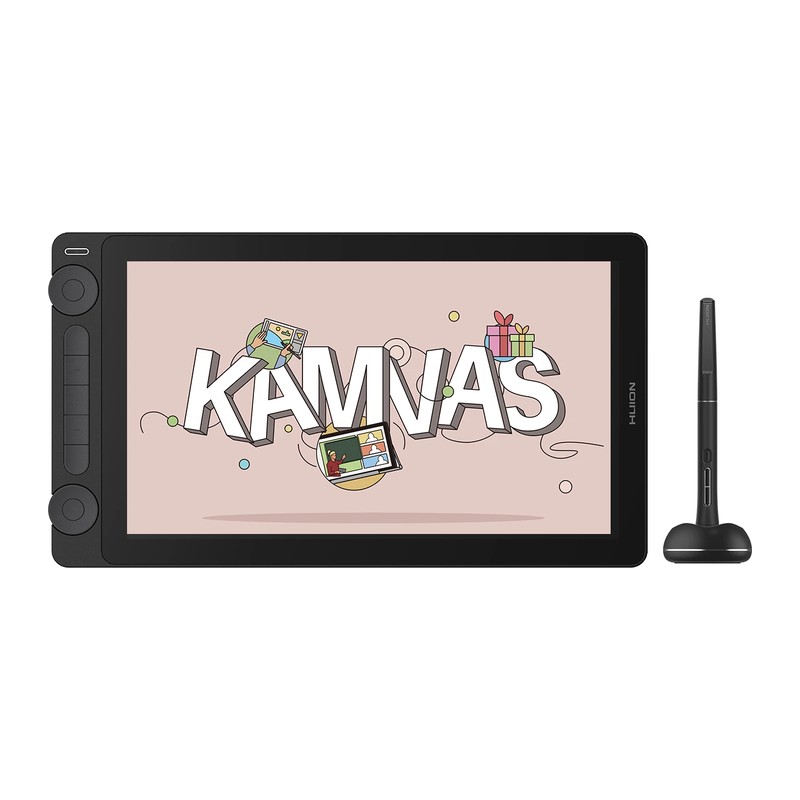
HUION Kamvas 13 (Gen 3) review: two dials on a 13-inch canvas
HUION's third-generation 13-incher: 16,384 pressure levels through PenTech 4.0, twin physical dials, a fully laminated panel under anti-glare etched glass, and an 8% smaller body at 865 g. The cheapest way into a pen display that doesn't feel like a compromise.
- huion kamvas 13
- HUION Kamvas Pro 16
- XP Pen Artist 12
- Wacom Cintiq 16
Updated 2026-08-07. Interest is relative search demand (0–100), not sales figures.
HUION Kamvas 13 (Gen 3) 13.3-inch pen display specs
| Screen | 13.3-inch IPS, 1920 × 1080 (16:9) |
|---|---|
| Working area | 293.8 × 165.2 mm |
| Pressure levels | 16,384 (PenTech 4.0) |
| Pen | PW600L, battery-free, 3 side buttons |
| Pen resolution | 5,080 LPI |
| Report rate | > 260 PPS |
| Tilt | ±60° |
| Colour gamut | 120% sRGB volume (99% sRGB / Rec.709 coverage) |
| Brightness | 220 nit (typical) |
| Contrast | 1000:1 |
| Screen finish | Full lamination, 2nd-gen anti-glare etched glass |
| Controls | 5 press keys + 2 dials + 2 function-switch buttons |
| Dimensions | 361.21 × 202.77 × 11.7 mm |
| Weight | 865 g |
| Connection | 3-in-1 port; full-featured USB-C supported |
Manufacturer's published specifications.
Verdict: the Gen 3 is what happens when a company iterates on the same 13-inch pen display for three generations instead of chasing a new size. The etched-glass surface has the tooth artists ask for without the haze a stick-on protector adds, the two dials replace a keyboard hand for zoom and brush size, and 865 g means it can move between rooms. Set expectations at “excellent drawing surface, ordinary brightness” and it’s hard to beat at the size.
This is an editorial summary built from HUION’s published specifications and third-party reviews, not a hands-on test.
The specs that matter
Per HUION’s official specifications:
- 13.3-inch IPS at 1920 × 1080, fully laminated, with a 293.8 × 165.2 mm working area behind 2nd-generation anti-glare etched glass.
- PenTech 4.0 with the PW600L battery-free pen: 16,384 pressure levels, 5,080 LPI, >260 PPS report rate and ±60° tilt.
- 120% sRGB gamut volume, quoted at 99% sRGB / Rec.709 coverage, with 220 nit typical brightness and 1000:1 contrast.
- Five programmable press keys, two dials and two function-switch buttons.
- 361.21 × 202.77 × 11.7 mm, 865 g — 8% smaller than the outgoing model.
- 3-in-1 port, with full-featured USB-C supported on machines that can drive video over it.
What reviewers love
- The glass. Reviewers who measure this sort of thing found the etched surface adds texture without meaningfully softening the image — the failure mode of the film protectors this replaces.
- Colour that holds up. Independent measurement put the panel around 98% sRGB with a Delta E under 1, and brightness above the figure HUION quotes.
- The dials earn their space. Two physical wheels with audible detents, plus five firm hotkeys, cover zoom, brush size and undo without reaching for a keyboard.
- Pen behaviour. Low initial activation force and consistent taper are the things reviewers cite most; light strokes register where you put them.
Worth knowing before you buy
- 220 nits is modest. Fine in a normally lit room, less so next to a bright window. This is a drawing surface, not a reference display.
- Cables are the usual pen-display tax. A USB-C video cable isn’t always in the box, and the recessed port doesn’t accept every third-party cable — check what your bundle includes before ordering a replacement.
- The stand may be extra. Some listings include the fold-out stand and some don’t, and ergonomics on a 13-inch display really do need one.
- Mac dial customisation is limited in the driver, per reviewers — the defaults are usable, but Windows gets the fuller set of options.
- No multi-touch. Everything happens through the pen, the keys and the dials.
Who it’s for
Someone who has already decided a screenless tablet isn’t for them and wants the smallest pen display worth owning. It suits illustrators and students who move between desks, and anyone who’d rather spend the difference between this and a 16-inch model on the rest of their setup.