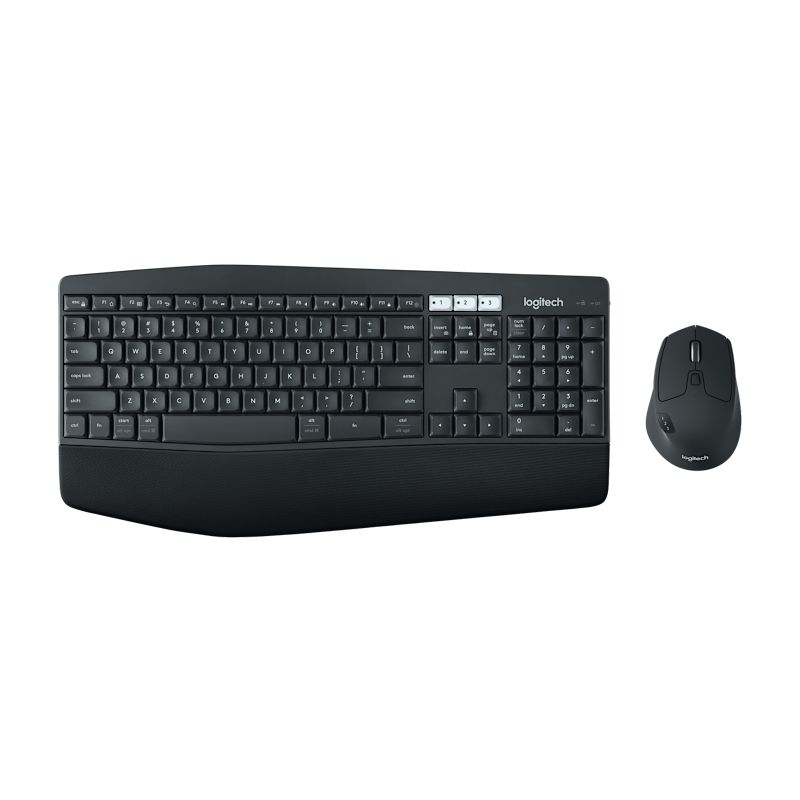
Logitech MK850 review: the comfort-upgrade combo for long desk days
A full-size wireless combo with a cushioned palm rest, curved keyframe, and a large contoured mouse with a hyperfast scroll wheel that pairs across up to 3 devices — the comfort step up for anyone who spends long hours at the desk.
- Logitech MK850
- Logitech MK540
- Logitech MX Keys S Combo
Updated 2026-07-21. Interest is relative search demand (0–100), not sales figures.
Logitech MK850 Performance wireless keyboard and mouse combo specs
| Battery | Keyboard up to 3 years, mouse up to 2 years |
|---|---|
| Connection | Unifying USB receiver or Bluetooth Low Energy |
| Keyboard | Full-size curved keyframe, cushioned palm rest |
| Mouse | Large contoured, hyperfast scroll, pairs 3 devices |
| Range | Up to 10 m / 30 ft |
Manufacturer's published specifications.
More photos
Verdict: the comfort-focused step up from a basic budget combo — a cushioned palm rest, curved keyframe, and a proper-sized contoured mouse, with multi-device switching if you split time between a computer, tablet, and phone. Worth the price gap if you feel the desk hours; skippable if a basic combo already treats you fine.
The specs that matter
Per Logitech’s official listing:
- Combo: a full-size, curved keyframe keyboard with a cushioned, oversized palm rest, plus a large, contoured mouse with a hyperfast scroll wheel and rubber grip surface.
- Connectivity: Logitech Unifying USB receiver or Bluetooth Low Energy, with the mouse able to pair across up to 3 devices.
- Battery: rated up to 3 years (keyboard) and 2 years (mouse).
- Comfort: adjustable tilt legs for keyboard angle; oversized cushioned palm rest.
- Range: up to 10m/30ft wireless range.
What reviewers love
- The palm rest and typing comfort. Reviewers consistently single out the cushioned rest and curved keyframe as noticeably easier on the wrists over long sessions than a basic combo.
- The mouse size and scroll wheel. A properly sized, contoured mouse with a fast-scrolling wheel that testers say suits spreadsheet and document-heavy work well.
- Multi-device switching. Pairing the mouse across up to 3 devices via Bluetooth is called out as genuinely useful for people who move between a laptop and desktop.
- Battery longevity — 3 years keyboard, 2 years mouse is rated well above entry-level combos.
Worth knowing before you buy
- It’s a comfort and multi-device upgrade, not a mechanical or gaming board. Still membrane keys — the appeal is ergonomics and connectivity, not typing feel or speed.
- Bigger footprint. The cushioned palm rest and larger mouse take up more desk space than a compact combo.
- Priced above entry-level combos — reviewers generally frame it as worth it specifically for the comfort and multi-device features, not as a budget pick.
Who it’s for
Anyone who spends long hours at a desk and wants a cushioned, comfort-focused typing setup with a properly sized mouse — especially if switching the mouse between a couple of devices via Bluetooth is useful day to day.