Steady Pick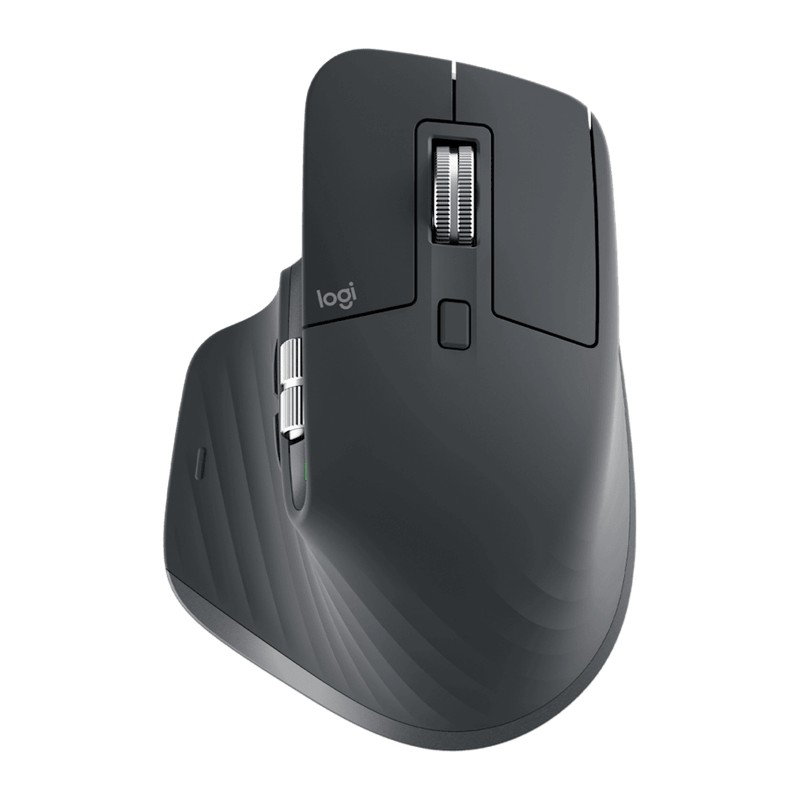
Tech · Mice
Logitech MX Master 3S review: the productivity mouse other productivity mice get compared to
Logitech's flagship productivity mouse — an 8,000 DPI sensor that tracks on glass, 90% quieter clicks, the MagSpeed electromagnetic scroll wheel, and USB-C fast charging that add up to the class benchmark.
8K sensorQuiet clicksMagSpeed scrollUSB-C charge
View on Amazon4+years on the market
2022first released
- Logitech MX Master 3S
- Logitech Lift
- Logitech MX Master 4
- ProtoArc EM11
Updated 2026-07-15. Interest is relative search demand (0–100), not sales figures.
Logitech MX Master 3S wireless performance mouse specs
| Weight | 141 g |
|---|---|
| Sensor | 8,000 DPI, tracks on glass (4 mm+) |
| Battery | ~70 days per charge; 1 min charge = ~3 h |
| Clicks | ~90% quieter than the previous MX Master |
| Scroll wheel | MagSpeed electromagnetic, plus thumbwheel |
| Buttons | 7 controls |
| Connection | Logi Bolt USB or Bluetooth, 3 devices with Flow |
Manufacturer's published specifications.
Verdict: the productivity-mouse benchmark. The MagSpeed wheel, quiet refined clicks, and workflow features justify the flagship price for heavy desk users — just know it’s a comfort-first mouse, not a gaming one.
The specs that matter
Per Logitech’s official listing:
- Sensor: 8,000 DPI optical — tracks on almost any surface, even glass (4mm+).
- Clicks: ~90% quieter than the previous MX Master, while keeping the same tactile feel.
- Scrolling: MagSpeed electromagnetic main wheel (ratchet ↔ free-spin, auto-shifting) plus a dedicated thumbwheel.
- Buttons: 7 controls, including gesture and thumb buttons, customizable in Logi Options+.
- Connectivity: Logi Bolt USB or Bluetooth, up to 3 devices with Flow.
- Battery: USB-C rechargeable — a 1-minute charge gives ~3 hours; ~70 days on a full charge. Weight ~141g.
What reviewers love
- The scroll wheel. MagSpeed is routinely called the best scroll wheel on any mouse — fast, precise, and near-silent.
- The comfort. The sculpted shape and thumb rest are a long-standing favourite for all-day use.
- The quiet, refined clicks. The 3S’s quieter switches are the headline upgrade over the MX Master 3.
- The workflow features. App-specific button profiles, gestures, the thumbwheel, and Flow across computers make it a genuine productivity tool.
Worth knowing before you buy
- It’s a productivity mouse, not a gaming one. No high-polling gaming sensor — it’s tuned for control and comfort, not competitive FPS.
- It’s larger and heavier (~141g). Built for medium-to-large hands and palm grips.
- Mind the variants. There’s a standard model, a “for Mac” version, and a “for Business” version — plus the newer MX Master 4. Confirm which one you’re buying.
Who it’s for
Anyone whose day is spent in documents, spreadsheets, design tools, or code and who wants the most comfortable, feature-rich productivity mouse available.