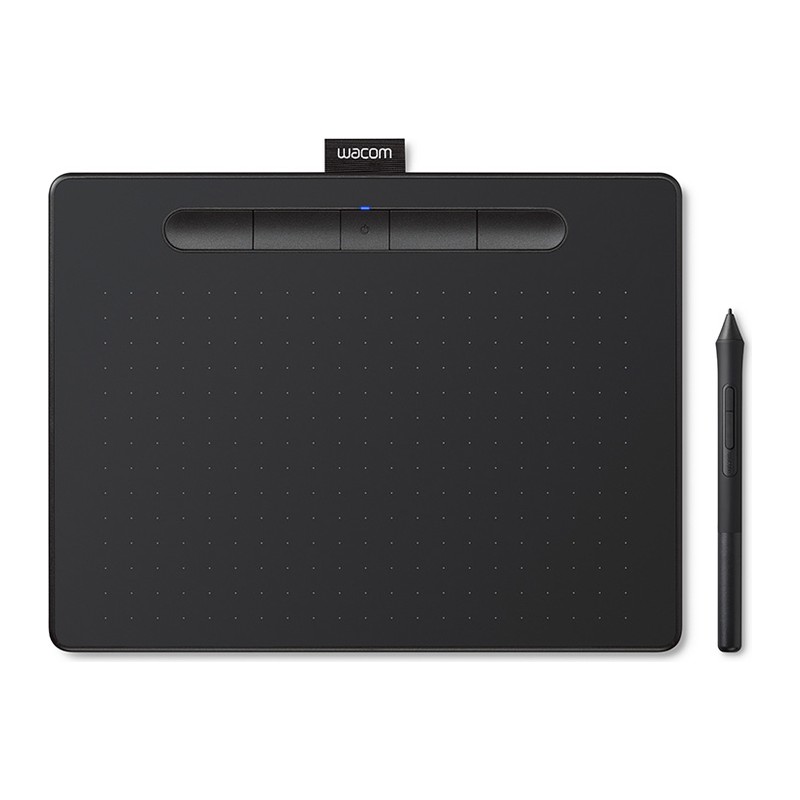
Wacom Intuos Small review: the tablet everyone learns on
Wacom's entry pen tablet, unchanged in the ways that matter since 2018: a battery-free EMR pen, 4,096 pressure levels, four ExpressKeys and a slab thin enough to live in a laptop bag. No screen, no tilt — and that's the deal that keeps it at the front of the category.
- wacom intuos
- HUION Kamvas 13
- XP Pen Artist 12
- Wacom Cintiq 16
Updated 2026-08-07. Interest is relative search demand (0–100), not sales figures.
Wacom Intuos Small wired pen tablet (CTL-4100) specs
| Active area | 152 × 95 mm |
|---|---|
| Pressure levels | 4,096 |
| Pen | Wacom Pen 4K (LP-1100K), battery-free EMR |
| Pen resolution | 2,540 lpi |
| Report rate | 133 pps |
| Accuracy | ±0.25 mm (centre) |
| Detection height | 7 mm |
| ExpressKeys | 4 customisable |
| Dimensions | 200 × 160 × 8.8 mm |
| Weight | 230 g (tablet), 11.2 g (pen) |
| Connection | Wired USB (no Bluetooth on CTL-4100) |
| Compatibility | Windows, macOS, ChromeOS, Android (OTG) |
Manufacturer's published specifications.
Verdict: the Intuos Small is not the most specified tablet in its price bracket and hasn’t been for years — rivals ship twice the pressure levels and tilt for less money. What it has instead is the part beginners actually trip over: a driver that installs and stays working, a pen that has never needed a charge, and a surface texture that other brands are still copying. Buy it as the shortest path from “I want to draw digitally” to actually drawing.
This is an editorial summary built from Wacom’s published specifications and third-party reviews, not a hands-on test.
The specs that matter
Per Wacom’s official specifications:
- 152 × 95 mm active area on a 200 × 160 × 8.8 mm body weighing 230 g — small enough that the tablet stops being furniture.
- Wacom Pen 4K (LP-1100K), battery-free EMR, with 4,096 pressure levels, 2,540 lpi resolution and a 133 pps report rate.
- ±0.25 mm accuracy at the centre and 7 mm detection height.
- Four customisable ExpressKeys along the top edge.
- Wired USB on this CTL-4100 SKU; Bluetooth lives on the separate CTL-4100WL models.
- Works with Windows, macOS, ChromeOS and Android phones/tablets over OTG.
What reviewers love
- The pen never runs out. EMR draws its power from the tablet, so there is no charging cable, no battery door, and nothing to replace after three years in a drawer.
- Drivers that behave. Reviewers coming from cheaper tablets consistently single this out: setup is short and the tablet keeps working after OS updates, which is where budget alternatives most often lose people.
- The size is the point. A small active area maps one-to-one to a laptop screen without big arm movements, and the 8.8 mm slab genuinely travels.
- Software in the box. Wacom bundles creative apps (Clip Studio Paint Pro and Corel Painter Essentials have both featured, by model and region) — enough that a first tablet doesn’t also need a first subscription.
Worth knowing before you buy
- No tilt, and 4,096 pressure levels. Competing tablets at half the price quote 8,192 levels and tilt recognition. In practice the pressure number is hard to see once you’re past a few hundred levels, but if tilt-driven brushes are part of your workflow, this is the wrong tablet.
- It’s small. 152 × 95 mm means more zooming on detailed work. The Medium size exists for a reason if you have desk space.
- No touch gestures, and the pen has no eraser end — the tail holds a nib-removal tool instead.
- This SKU is wired. If cable-free is what you’re picturing, you want the CTL-4100WL, not this one.
- Screenless takes adjustment. You look at the monitor while your hand moves on the tablet. Most people adapt within a week; some never enjoy it, which is what pen displays are for.
Who it’s for
Anyone starting digital art, illustration, retouching or online teaching who wants the lowest-friction entry into the category and doesn’t want to spend pen-display money to find out whether they like it. It’s also the default “tablet for the family computer”: cheap enough to risk, durable enough to survive, and supported long enough that the driver will still exist in five years.